Custom Graphics + Free Samples

Creator graphics that stay recognizable from chat size to stream screen.

SCS creates custom emotes, badges, panels, alerts, overlays, stream screens, social graphics, profile assets, and connected visual kits. Use the free starter pack for testing, or begin a reviewed custom request without needing a finished brand kit.

What SCS Can Create

Choose the visual problem, then the smallest useful asset set.

Graphics fits when the files themselves need to look connected, readable, and ready for agreed platforms.

Small assets disappear in chatChannel visuals feel unrelatedLoose files need platform-ready exports
Emotes

Custom Emote Sets

Twitch-style reactions, Discord emoji, stickers, and community jokes tested at small sizes.

Request emotes
Badges

Sub Badges and Loyalty Icons

Tier or month badges, role icons, and other compact symbols with clear progression and contrast.

Request badges
Channel surfaces

Panels, Alerts, Screens, and Overlays

Starting, BRB, ending, offline, panel, camera-frame, lower-third, and alert direction.

Plan stream graphics
Identity support

Creator Asset Systems

Palette, type direction, profile graphics, banners, social templates, and visual-use rules.

Plan a visual kit
Reusable files

Downloadable Graphic Packs

Premade graphics and templates intended for repeatable use rather than one custom identity.

Explore Resource Packs
Handoff

Upload and Layout Help

File naming, size checks, placement notes, Discord emoji planning, and organized delivery maps.

Request graphics help

Studio-Owned Examples

See the asset at the size and surface where it has to work.

These Silentgrr examples are owner-controlled studio proof, not outside-client work or promised results.
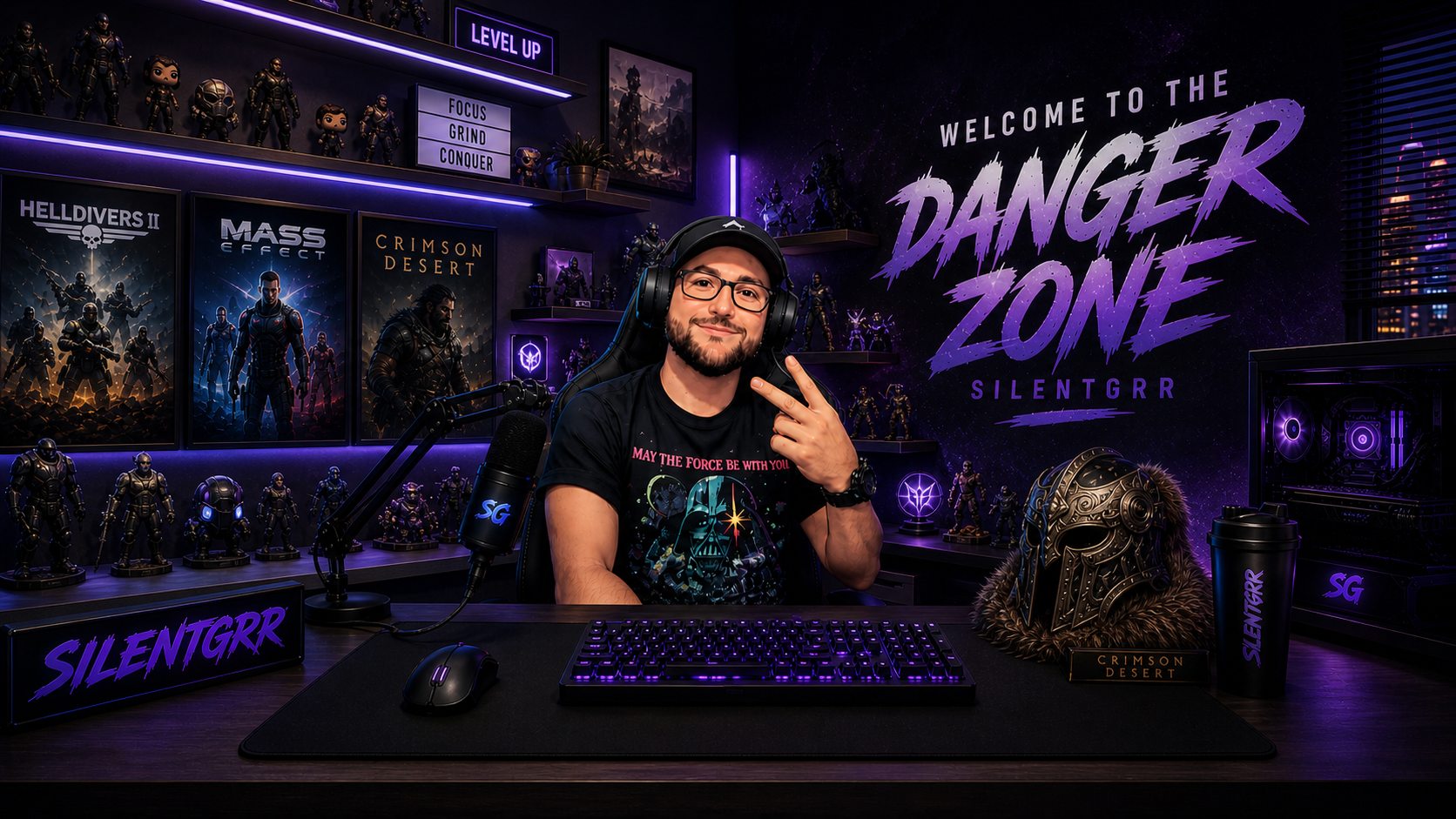

Studio-owned Silentgrr stream room visual sample
Connected directionRoom art that can guide banners, panels, overlays, and social graphics.
Studio-owned Silentgrr Starting Soon screen sample
Stream screenA clear live-state graphic designed around the channel look.
Studio-owned Silentgrr avatar reference used for emote concepts
Character referenceA source image that can guide emotes, emoji, stickers, and badge ideas.

Free Neon Signal Pack

Test six emotes and four badge sets before commissioning custom art.

Transparent PNG exports include common small sizes for mockups, Discord tests, stream planning, and early channel use.


Signal Hype emote preview Signal GG emote preview Signal Lurk emote preview Signal BRB emote preview Signal Raid emote preview Signal Focus emote preview

Scope, Review, and Handoff

A clear first asset list keeps creative work reviewable.

Start with what viewers need to recognize now. Added concepts, complexity, animation, platform variations, source files, and revision rounds can expand the reviewed scope.

Targeted graphics$250-$1,100Planning guidance for a focused static asset set.
Connected visual kitConfigured separatelyThe builder can exceed the starting range as asset groups and complexity grow.
Final scopeHuman reviewedNo automatic total, quote, acceptance, payment, or project start.
You can bring

Useful inputs, not a polished brand brief.

  • A logo, avatar, colors, or existing files if available.
  • References, channel jokes, phrases, and styles to use or avoid.
  • Platform dimensions, usernames, copy, and priority asset list when known.
  • Consolidated feedback and approval from the person making the final decision.

"I need help choosing" is a valid starting point. Never send passwords, stream keys, recovery codes, or payment details.

SCS provides

A connected direction and organized delivery.

  • Agreed art direction, palette, and priority graphics.
  • Review previews before files are treated as final.
  • Platform-ready static exports, size checks, and organized naming.
  • Placement or file-map notes included in the reviewed scope.

Full brand strategy, animation production, account uploads, ongoing channel management, and every platform variation are separate unless written into scope.

  1. 01
    Define

    Name the first assets, surfaces, and visual problem.

  2. 02
    Gather

    Collect references and available materials; uncertainty is allowed.

  3. 03
    Create

    SCS prepares the agreed direction and review previews.

  4. 04
    Review

    Give consolidated feedback within the agreed revision scope.

  5. 05
    Approve + deliver

    Approved files are exported, named, and handed off as agreed.

RevisionsOne connected direction and two focused revision rounds are the current visual-kit assumption.

New concepts, added assets, animation, or extra rounds may require re-scoping.

ApprovalPreviews are reviewed before final delivery.

Platform approval, account access, uploads, publishing, and ongoing management are not included by default.

Ownership + sourceThe written scope confirms ownership, editable files, and any third-party license limits.

Editable source files are included only where available and agreed; third-party fonts or assets keep their own licenses.

Free-pack licenseUse or adapt the starter pack for your own channel tests and early work.

Do not resell, redistribute, sublicense, or claim the unchanged pack as commissioned artwork. The README and Terms control.

Read Graphics terms

Choose the Next Move

Plan the wider problem, start a specific request, or ask one question.

Graphics Intake asks for review; it does not create a quote, contract, schedule, payment, or automatic project start.

Website Fit Check remains the sitewide Check path for website uncertainty; it is not forced into a graphics-only decision.